Last updated: October 16, 2025
Available with any of the following subscriptions, except where noted:
-
 Content Hub
Professional, Enterprise
Content Hub
Professional, Enterprise
From HubSpot's video tool, you can navigate directly to Descript to edit your video. After creating a new video, you can export your video directly to the video tool in HubSpot. Video files from Descript will also automatically appear in the files tool.
- In your HubSpot account, navigate to Content > Video.
- In the top right, click Add videos and select Descript.
- Log in to your Descript account.
- From your Descript account, set up a new video or select an existing video.
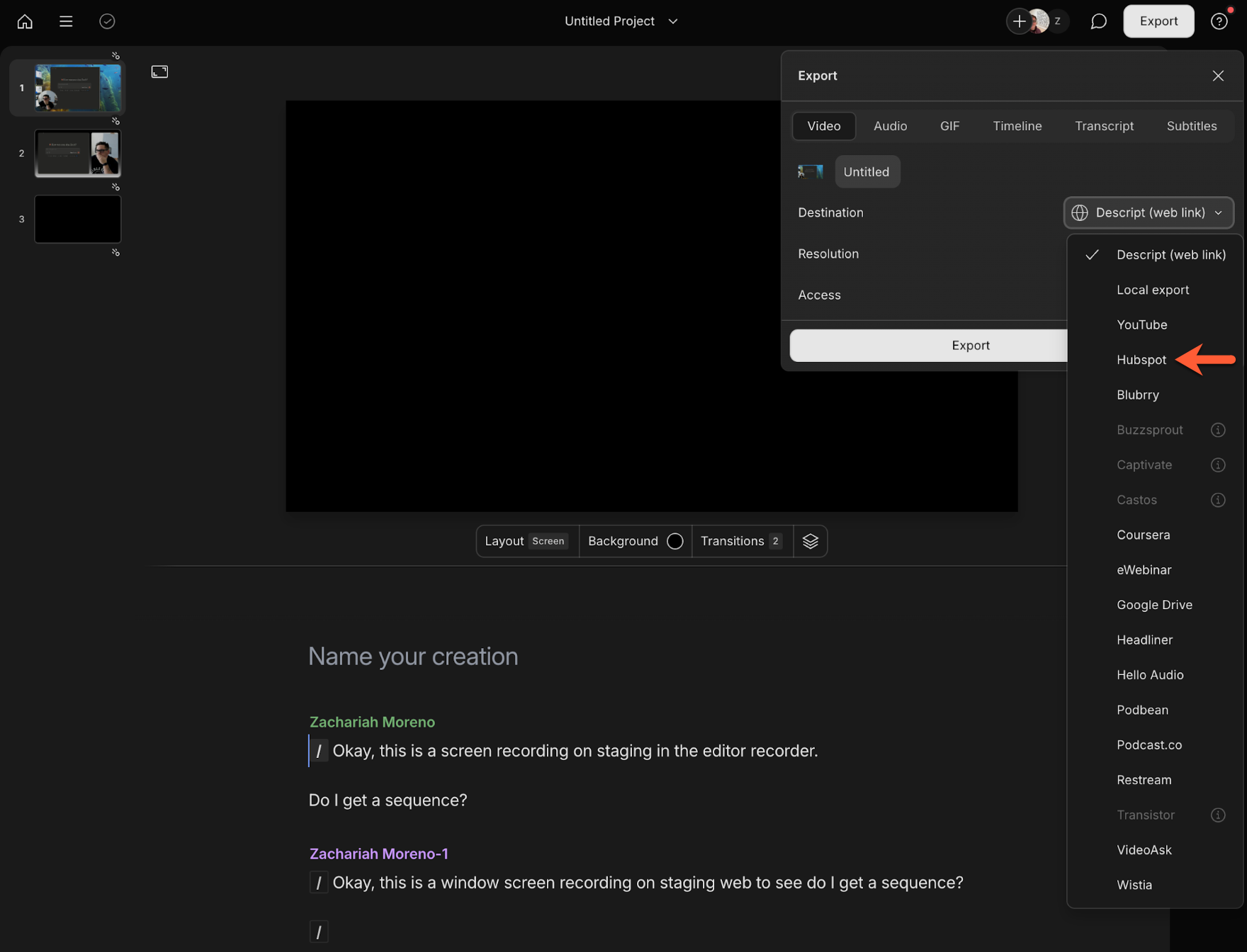
- After editing your video, in the top right, click Export.
- In the dialog box, select the Video tab.
- Click the Destination dropdown menu and select HubSpot.
- Click Publish or Export. You'll be automatically redirected to the video file details in HubSpot.