
Last updated: September 21, 2026
Available with any of the following subscriptions, except where noted:

View a user's permissions history to audit who had permissions and when. This can be helpful when troubleshooting permissions issues or when needing to audit permissions for security compliance.
Permissions required Super Admin permissions are required to view user permission history.
To view a user's permission history:
- In your HubSpot account, click the
settings icon in the top navigation bar. - In the left sidebar menu, navigate to Users & Teams.
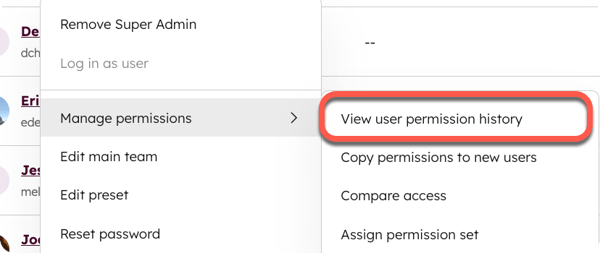
- Hover over the user that you want to view the permission history of, then click the Actions dropdown menu. Navigate to Manage permissions then click View user permission history.
- On the permission history screen, view the permission history details, which includes the following columns:
-
- Permission: the name of the permission.
- Action: whether the permission was added (Create) or removed (Delete).
- Updated by: the user that made the update.
- Date of change: when the change took place.

- To export the last 90 days of the user permission history click Export Report.
