Last updated: May 13, 2026
Available with any of the following subscriptions, except where noted:

Each HubSpot account contains several default objects such as contacts, companies, deals, listings, projects, and services. If your business refers to objects by other names, you can change the names of these default objects.
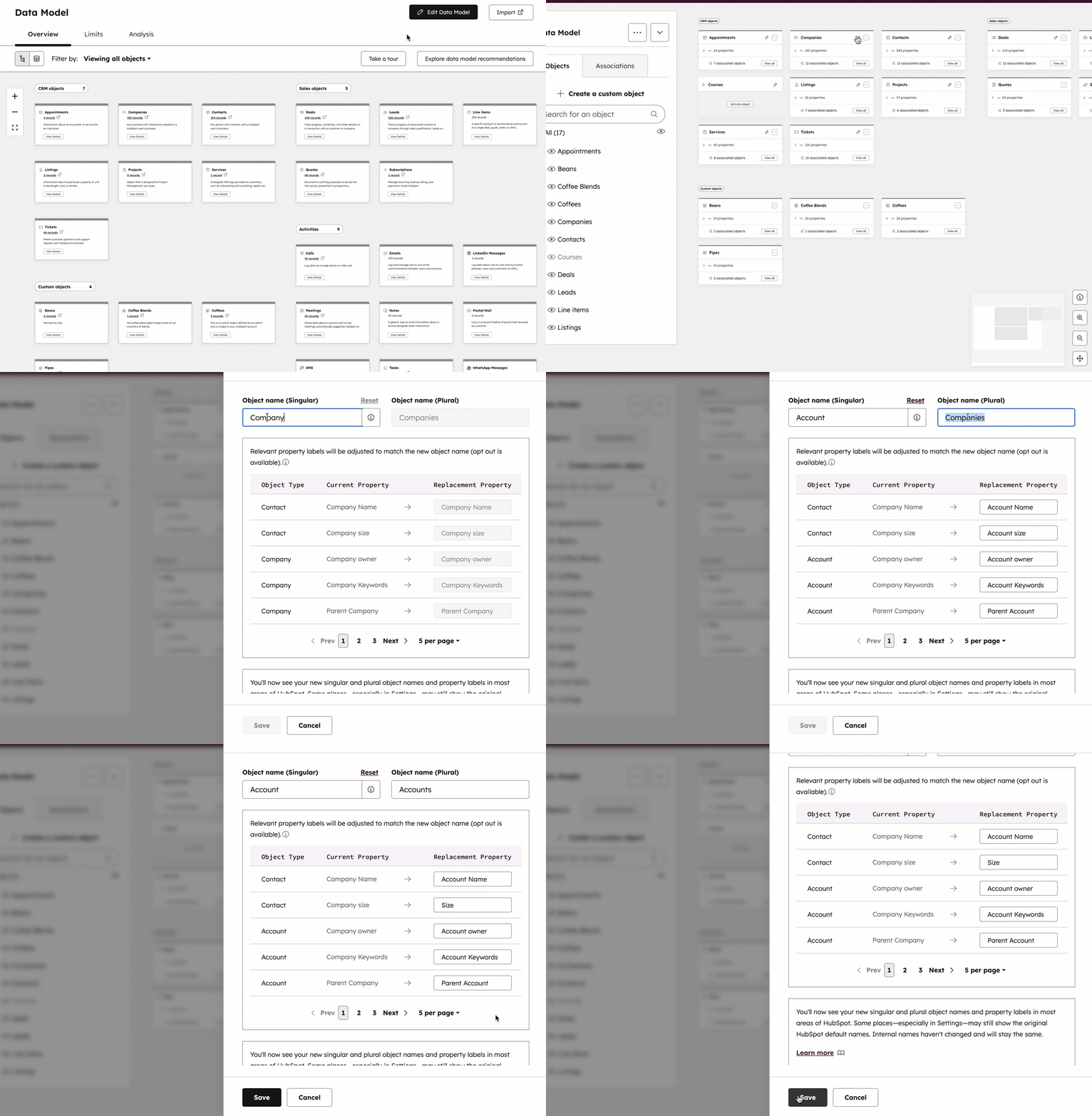
Moving forward, the object’s name will be replaced throughout the CRM. For example, if you change Company to Account, the Companies navigation item would be replaced with Accounts, which brings you to the accounts index page. The internal name used by integrations and APIs will not change. Learn more about objects or using the data model tool.
Please note: there are some areas in your account on desktop where the default name may still appear.
To update the name of an object:
- In your HubSpot account, navigate to Data Management > Data Model.
- In the upper right, click Edit Data Model.
- On the object’s card, click edit.
- In the right panel:
- In the Object name (singular) and Object name (plural) text fields, enter new names.
- Hover over the info icon to view the object's default name and internal value (Object Type ID) used by integrations and APIs. The internal value will not change if you update the object's name.
- Review the HubSpot default properties that will be renamed. If you want to make changes, in the Replacement Property column, enter a different value. Learn how to rename custom properties.
- Above the Object name (singular) text field, click Reset to reset the object’s name and HubSpot default properties back to their defaults.
- Click Save.
You can also use Breeze Assistant to rename an object. For example, navigate to Breeze Assistant and enter Rename company to account.