Last updated: February 20, 2026
Available with any of the following subscriptions, except where noted:

A consent banner notifies visitors that your site uses cookies. Depending on the type of banner and data privacy requirements, you can let visitors choose whether they allow you to track website activity in your HubSpot account. Before you set up your cookie consent banners, learn more about the available types of banners.
You can do the following depending on your consent banner selection:
- Notify visitors that your site uses HubSpot cookies (no choice to opt in or out).
- Prevent cookies from loading until visitors opt in.
- Allow cookies by default, but give visitors the choice to opt out.
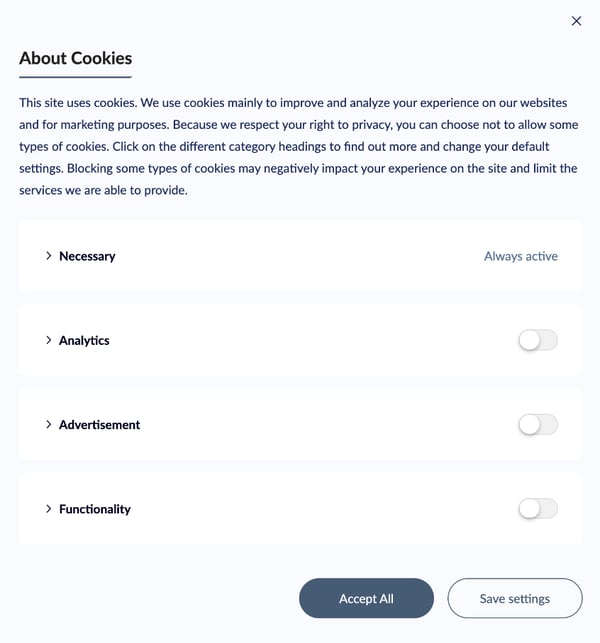
- Give visitors control over to which cookies they agree.
Please note: necessary cookies will always be loaded on your website regardless of your consent banner. These are essential cookies that do not require consent.
After you've chosen and configured a consent banner, learn how to customize the banner's appearance.
Notify visitors the site uses cookies
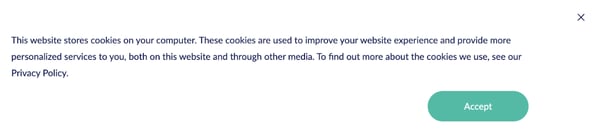
The Notification consent banner informs visitors that your website drops HubSpot cookies. There's no option to opt in or out of cookie tracking with this banner type. Visitors can either accept or close the banner.
When you set up a Notification banner, you can edit the description, button text, and customize the appearance and location of the banner.
Require opt-in to load cookies
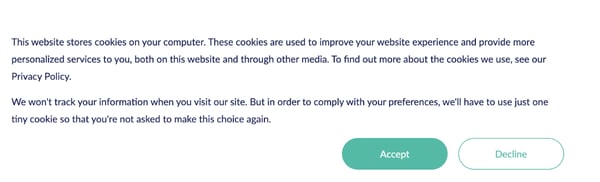
The Opt-in consent banner prevents HubSpot cookies from loading on a visitor's browser without their consent to be tracked. Visitors can either accept or decline. If the visitor accepts, HubSpot cookies will be dropped in the browser. If the visitor declines, HubSpot cookies won't be dropped.
When you set up an Opt-in banner, you can require opt-in for all cookies or by category. You can also edit the description, button text, and customize the appearance and location of the banner.
Give choice to opt out
The Opt-out consent banner informs visitors that all HubSpot cookies are automatically loaded, but gives them the choice to opt out. If the visitor accepts, HubSpot cookies will be dropped in the browser. If the visitor declines, HubSpot cookies won't be dropped.
When you set up an Opt-out banner, you can allow opt out for all cookies or by category. You can also edit the description, button text, and customize the appearance and location of the banner.
Display cookies by category
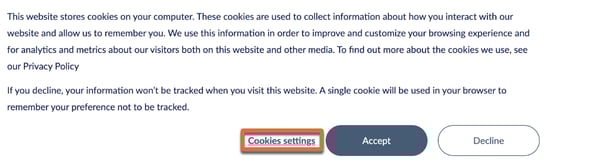
When you set up an Opt-in or Opt-out banner, you can give visitors the choice to view and control their HubSpot cookie settings by category. Adding this option includes a link in the banner that opens a list of cookie categories with consent settings for each.
To include this option, select the Allow [opt-in/opt-out] by category checkbox when setting up the banner.