
Last updated: May 4, 2026
Available with any of the following subscriptions, except where noted:

-
 Seats required for certain features
-
Additional subscriptions required for certain features
HubSpot provides two quoting experiences: legacy quotes and quotes. Use this article to compare available features and understand key differences.
Understand requirements for using quotes
Requirements for using quotes
- Users in a Commerce Hub Professional or Enterprise account can use quotes.
- A Commerce Hub seat is required to use some features of quotes. Learn more in the HubSpot Product and Services Catalog.
Requirements for using legacy quotes
-
Non-Commerce Hub Professional or Enterprise accounts created before Sept. 3, 2025 may have access to legacy quotes:
-
Users in a Free account: access to legacy quotes if one or more quotes were created in the six months prior to Sept. 3, 2025.
-
Users in a Sales Hub Starter, Professional, or Enterprise account: continue to have access to legacy quotes after Sept. 3, 2025.
-
- A Sales Hub Professional or Enterprise account is required to use legacy quote approvals, e-signatures, or customized legacy quote templates.
- If moving from legacy quotes to quotes, you need to create new templates. Legacy quote templates can't be transferred to quotes.
-
If you previously had access to legacy quotes, but have lost access to the legacy quotes editor and your legacy quote templates, this is likely because you've been assigned a Commerce Hub seat. If the setting to allow legacy quote creation is turned on, and you have an assigned Commerce Hub seat, you can choose whether to create a legacy quote or quote. With the setting on, templates are separated between legacy quotes and quotes. Templates created for one experience can’t be used for the other.
-
If you have been assigned a Commerce Hub seat, but only want access to legacy quotes, ask your Super Admin to change your seat to a core, or view-only seat.
How to know which quote tool you're using
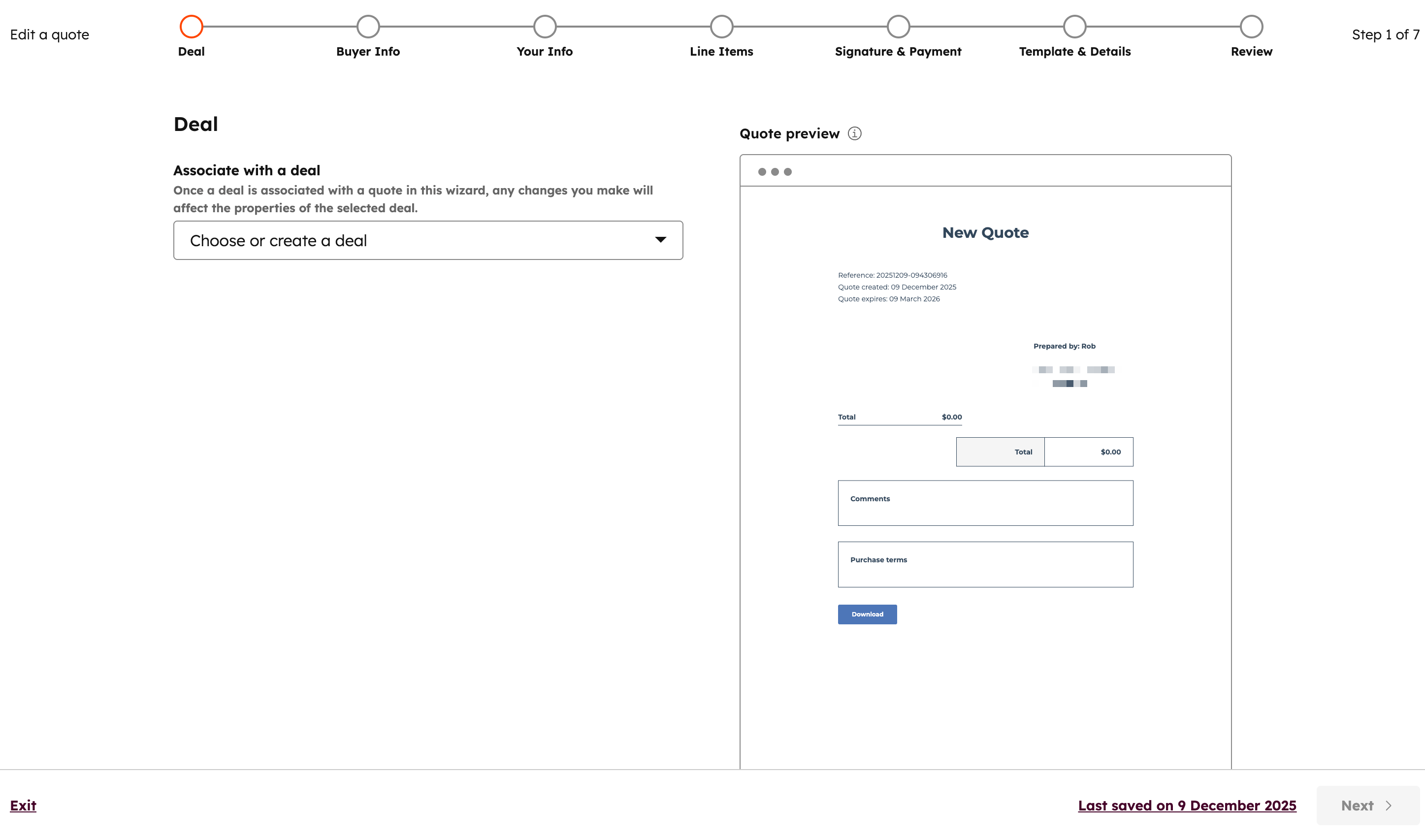
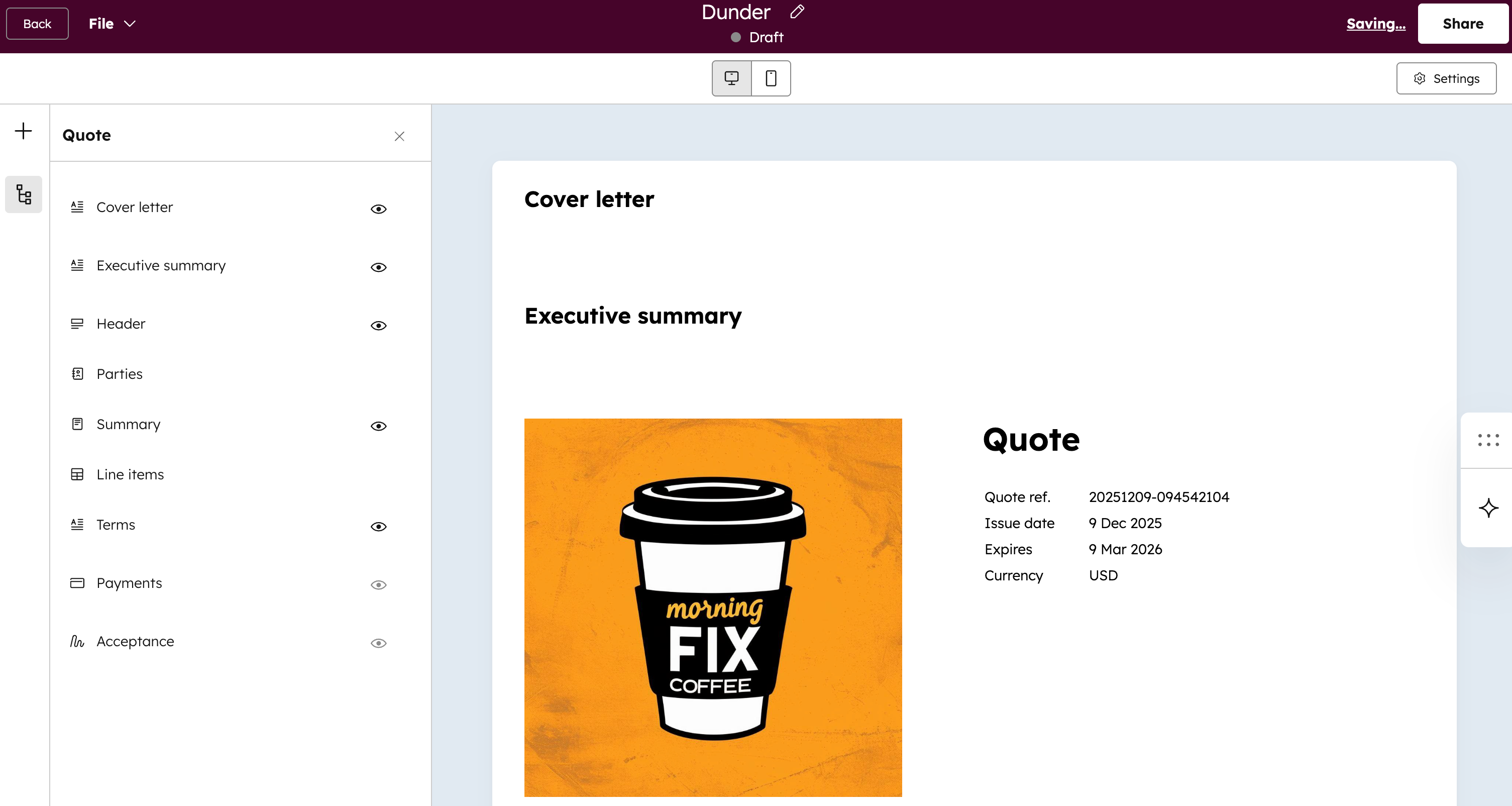
Legacy quotes and quotes have different editors. If you're unsure which quoting tool you're using, use the screenshots below to help identify which editor you're using.
- Legacy quote editor:
- Quote editor:
Feature comparison
Quotes
Subscription required A Commerce Hub Professional or Enterprise subscription is required to use quotes.
| Feature | Legacy quotes | Quotes |
|---|---|---|
| Quote editor | Multi-tab quote editor. | Single-page, drag-and-drop editor. |
| Quote templates | Three default templates available, with the option to create new templates. Learn more about legacy quote templates. | Customize quotes using branding and templates, giving sellers and buyers a standardized experience with your quotes. Learn more about quote branding and templates. |
| Products | Free accounts: up to 100 products . Starter, Professional, and Enterprise: Up to 1 million products. |
Commerce Hub Professional and Enterprise: Up to 15 million products. |
| Flat pricing | Available | Available |
| Tiered pricing | Not available | Stair-Step, graduated, and volume-based. Learn more about tiered pricing. |
| Approvals | Available. One user in an account can be set up as an approver for legacy quotes. When turned on, all legacy quotes will need to be approved. Learn more about legacy quote approvals. |
Available. Standard approvals: assign one or multiple approvers to review all submitted quotes. Advanced approvals: includes everything in standard approvals plus support for workflow-based rules, allowing for more customization. Learn more about quote approvals. |
| E-signature | Available. Learn more about e-signature limits and usage for legacy quotes. | Available. Learn more about e-signature limits and usage for quotes. |
| Breeze Closing Agent (BETA) | Not available | Available. Learn more about the Breeze closing agent. |
| Quote activity tracking | Not available | Available. Learn more about quote tracking. |
| Attachments | Not available | Available. Learn how to add attachments when building your quote. |
| Custom-coded templates or modules | Supports custom-coded CMS templates. Learn how to create a custom theme for legacy quotes. | Not available |
| Payment schedules | Available. Learn how to add payment schedules when adding line items to your legacy quote. | Not available |
| Automated sales tax (BETA) | Available. Learn more about automated sales tax collection. | Available. Learn more about automated sales tax collection. |
Customize quote templates
You can custom-code quote (BETA) and legacy quote templates. Quotes can be customized using modules, while you can customize an entire legacy quote template. Learn more about the differences in customization in the table below.
| Category | Legacy quote templates | Quote templates |
| Architecture and editing control | The entire template is customized. The content of the template is fixed, and editing is only possible using rich text editors. | Modules can be created and added to the quote individually. Modules can be set to allow editing, or can be fixed to preven editing. Changes can be made at the modular level, instead of editing the entire template. |
| Supported technologies | Use HubL, HTML, CSS, and JavaScript. Serverless functions are supported. |
Use React. Serverless functions are supported. |
| Tools | Design manager and CLI. | CLI and projects. |
Related resources
