Last updated: December 15, 2025
Available with any of the following subscriptions, except where noted:

Your primary account contacts and billing contacts for your HubSpot account will receive essential updates about your account. It's recommended to regularly update this information to ensure you don't miss any critical communications.
-
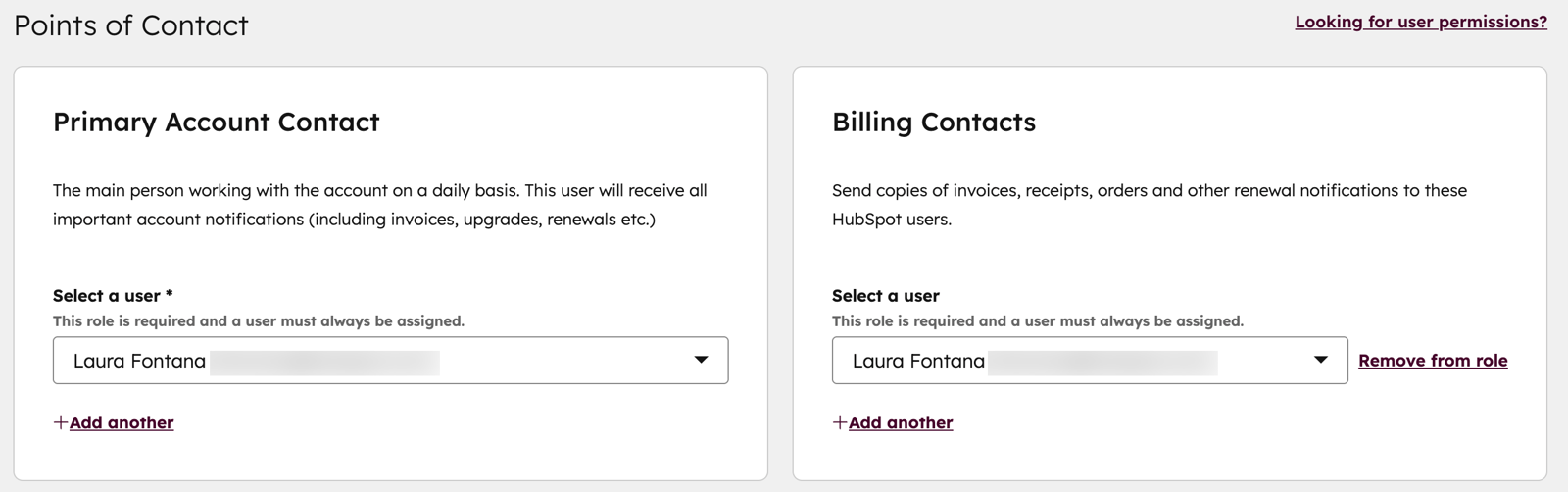
Primary account contacts: the main users working with the account on a daily basis. They'll receive all important account notifications (including invoices, upgrades, renewals etc.)
-
Billing contacts: receive copies of invoices, receipts, orders, and renewal notifications. You can set up to three billing contacts per HubSpot account.
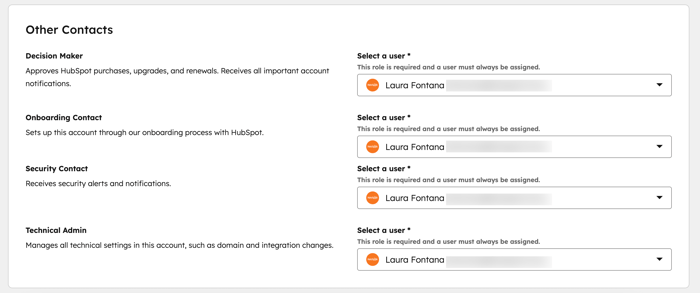
- Role-specific points of contact: users assigned to specific roles in your account, including decision maker, onboarding contact, security contact, and technical admin. They'll receive communications about the account specific to their role.
Add or update your primary account contact and billing contacts
-
In your HubSpot account, click your account name in the top right corner, then click Account & Billing.
-
At the top, click Company Info.
-
-
To update the primary account contact, in the Primary Account Contact section, click the Select a user dropdown menu, and select the user you want to set as the primary account contact.
-
To update the billing contacts, in the Billing Contacts section, click the Select a user dropdown menu, and select the user you want to set as a billing contact. Click Add another to add more billing contacts.
-
Add or update role-specific points of contact
You can also define the points of contact for other specific roles in your HubSpot account, such as the decision maker, onboarding contact, security contact or technical admin.
To add or update the contacts:
-
In your HubSpot account, click your account name in the top right corner, then click Account & Billing.
-
At the top, click Company Info.
-
Navigate to the Other Contacts section.
-
Click the Select a user dropdown menu next to the contact you want to add or update, then select a user from the list. For the security contact, you can select an existing HubSpot user or enter a valid email address for a non-HubSpot user.