
Last updated: May 11, 2026
Available with any of the following subscriptions, except where noted:
-
 Marketing Hub
Professional, Enterprise
Marketing Hub
Professional, Enterprise
-
 Sales Hub
Professional, Enterprise
Sales Hub
Professional, Enterprise
-
 Service Hub
Professional, Enterprise
Service Hub
Professional, Enterprise
-
 Data Hub
Professional, Enterprise
Data Hub
Professional, Enterprise
-
 Content Hub
Professional, Enterprise
Content Hub
Professional, Enterprise
-
 Smart CRM
Professional, Enterprise
Smart CRM
Professional, Enterprise
Upgrade your company sync between HubSpot and Salesforce to the latest version. After upgrading, company records will sync with improved deduplication and support for merging companies.
The upgraded company sync helps maintain consistent company data across both platforms. Companies can sync without requiring an associated contact, and duplicate companies can be matched using mapped field values.
For example, if two company records represent the same organization but have no associated contacts, they can still be matched and synced between HubSpot and Salesforce.
Before you get started
Before upgrading your company sync, please note the following:
-
You must have connected the Salesforce integration to your HubSpot account. Learn how to connect Salesforce to HubSpot.
-
Once you upgrade to the new company sync, this change cannot be reverted. It’s recommended that you test the upgraded company sync in a developer test account or sandbox account before upgrading your production account.
-
Upgrading to the new company sync may temporarily increase Salesforce API usage as the new sync indexes records. Once indexing is complete, API usage will return to normal.
-
Company merges in HubSpot do not merge records in Salesforce.
Upgrade to the new company sync
To turn on the new company sync:
-
In your HubSpot account, click the
settings icon in the top navigation bar. In the left sidebar menu, navigate to Integrations > Connected Apps. -
Search for and select Salesforce.
-
Click the Feature discovery tab.
-
On the Upgraded Company Sync card, click Upgrade.
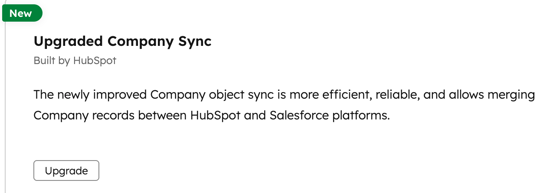
After upgrading, company records will sync using the upgraded sync.
Understand how the new company sync works
The upgraded company sync keeps the same general core functionality of the standard company sync. However, it introduces several improvements to how company records sync and match between HubSpot and Salesforce.
Companies no longer require associated contacts
With the standard company sync, a company was required to have at least one associated contact before it could sync to Salesforce.
With the upgraded company sync, companies can sync without any associated contacts. This allows company records to sync even when they aren't associated with any contacts.
Association sync
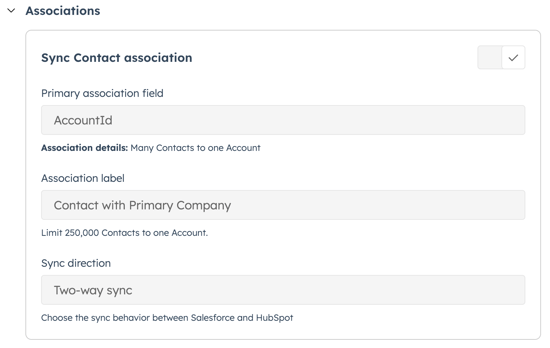
With the upgraded company sync, you can sync company associations based on Salesforce lookup fields.
You can also sync association labels and choose your preferred sync direction (Two-way sync, Salesforce to HubSpot only, or HubSpot to Salesforce only).
Enhanced company deduplication
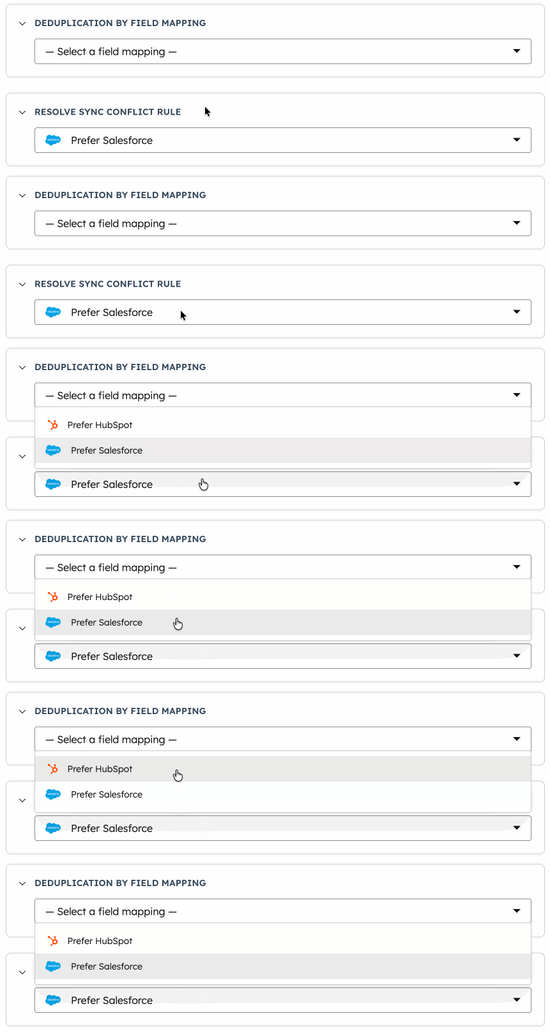
With the upgraded company sync, companies are deduplicated based on mapped field values instead of associated contacts. For records to match, the mapped field values must be identical in both HubSpot and Salesforce.
For example, if the Company domain name property is mapped between HubSpot and Salesforce, company records with the same domain value can be matched and synced.
Existing matched records will not be affected by the updated deduplication logic. The enhanced company deduplication will only apply to new companies and accounts moving forward, after the new company sync is turned on.
Learn more about setting up deduplication using field mapping.
Resolve sync conflict rule
When records match between HubSpot and Salesforce, you can set which data source will be used when it's unclear which has the most up-to-date information. This rule only affects records when they first sync.
Company field mapping sync rule
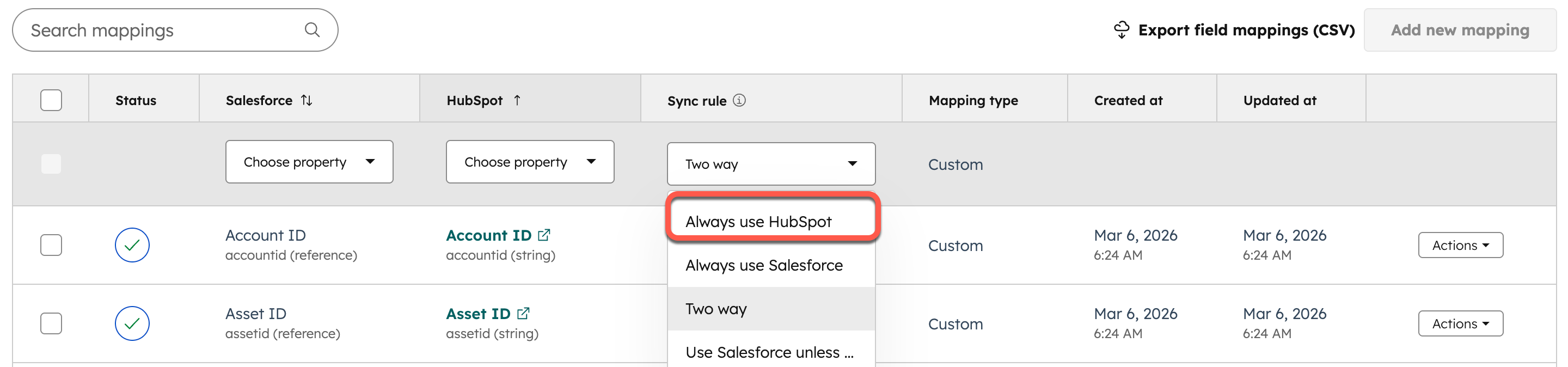
With the upgraded company sync, existing sync rules remain available. A new field mapping sync rule, Always use HubSpot, lets you sync data from HubSpot to Salesforce for a field mapping.
Please note: the sync rule feature only applies when using a two-way object-level sync rule. If a one-way object-level sync rule is selected, the value is overridden in the one-way direction.
Company merges
With the upgraded company sync, company merges are supported in HubSpot.
When two HubSpot company records are merged:
-
The resulting HubSpot record continues syncing with its associated Salesforce record.
-
Salesforce records are not merged automatically.
